




STEP 1
Register via LINE

Add LINE OA Paccan Dispensary Scan the QR Code on LINE
STEP 2
Click Dispensary Registration
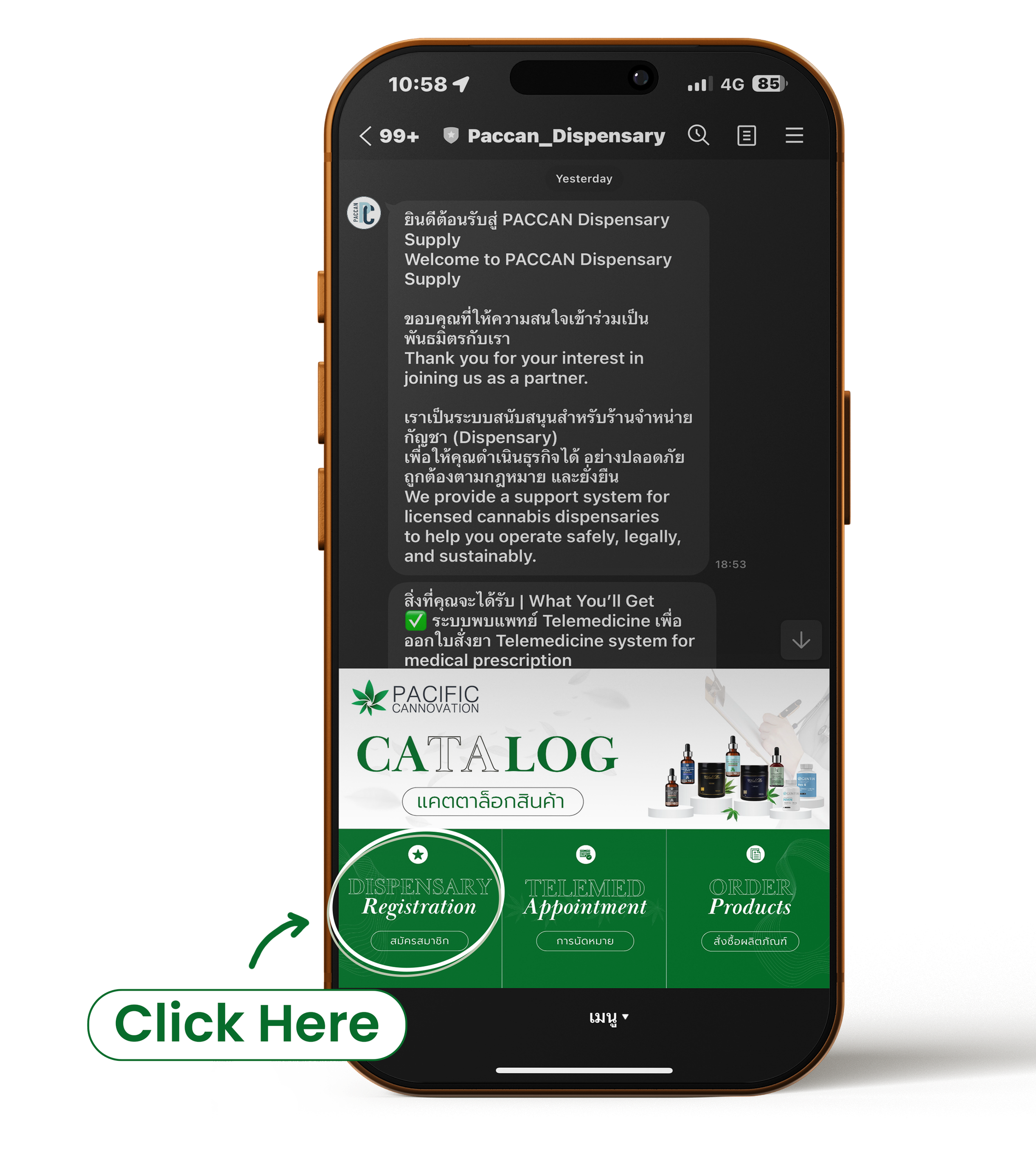
You can click on the Dispensary Registration box to register and be taken to the form page Application to join as a Partner with PACCAN
STEP 3
Submit & get your ID

Send the form to the admin. Admin checks and confirms the registration information, and sends the merchant code to the partner for identity verification and filling out the form every time.
STEP 4
Customer Request & Telemed Process
When a customer wants to buy a controlled product.
01
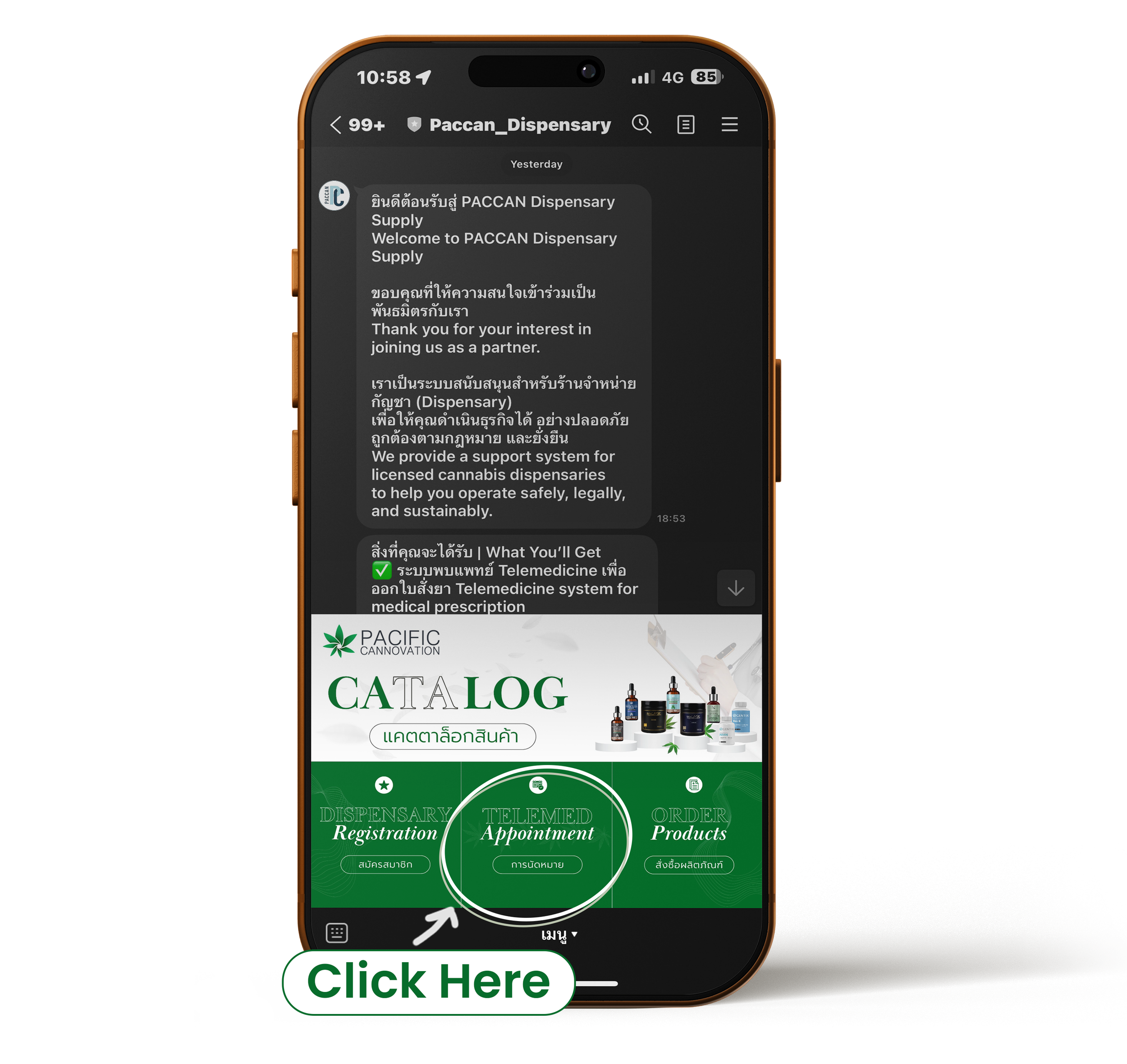
Please select Telemed Appointment in the menu on our LINE OA, complete the form, and indicate your preferred contact method so the medical team can easily reach you.
Consultations are available only via LINE video call or WhatsApp video call.
Please also ensure that the customer signs the document in the prescription recipient section.
02

Request an ID card or passport from the customer. Take a picture or scan to see the information clearly.
03

Paccan Send the form + card photo to the Paccan admin.
04
Payment for medical services
05

Admin coordinates with the medical team to schedule an appointment.
06

The doctor will contact the store to start Telemed.
STEP 5
Dispensing & Delivery
When a customer wants to buy a controlled product.
05

Dispensary dispenses the regulated product.
06
Customer receives the product legally and safely.

Telemed by
Dr. Police Colonel Sakda Charnvanichayachai, MD.
พันตำรวจเอก นายแพทย์ ศักดา ชาญวณิชยชัย